
Skip to content
No results
Logo with a stylized checkmark and circle icon on the left, accompanied by the text "Change Strategists" in white and teal.
  • Resources
    • Brand Building
    • Client Acquisition
    • Interview Questions
    • Project Tool Offer
    • AI Comms Planner
    • CM Policy Generator
  • Website Services
  • Articles
    • AI in Business
    • Business Operations
    • Change Management
    • Leadership
    • Project Management
  • AI Toolkit
  • Courses
  • Contact
Book a Consultation
ChangeStrategists 5
  • Resources
    • Brand Building
    • Client Acquisition
    • Interview Questions
    • Project Tool Offer
    • AI Comms Planner
    • CM Policy Generator
  • Website Services
  • Articles
    • AI in Business
    • Business Operations
    • Change Management
    • Leadership
    • Project Management
  • AI Toolkit
  • Courses
  • Contact
ChangeStrategists 5
enhanced project monitoring tools
  • Project Oversight Hub

Top 3 Tools for Enhanced Project Monitoring

Begin your journey to project success with the top 3 tools for enhanced project monitoring, transforming your approach and maximizing efficiency - discover more now!

kanban process and sprints
  • Kanban

Do You Have Sprints in Your Kanban Process?

An intriguing exploration of integrating sprints into Kanban for enhanced workflow efficiency and team collaboration awaits in this article.

kanban board in onenote
  • Kanban

How to Create a Kanban Board in OneNote: 10 Easy Steps

Follow these 10 steps to create a Kanban board in OneNote, and discover how to streamline your task management effortlessly.
sharepoint s kanban board feature
  • Kanban

How SharePoint Does Have a Kanban Board Feature

Yearning for a seamless task organization experience? Explore how SharePoint's Kanban board feature revolutionizes team productivity and project coordination.

sprinting with success in kanban
  • Kanban

How You Can Do Sprints in Kanban Successfully

Cultivate unparalleled project success by harnessing the power of sprints within a Kanban framework – discover the game-changing strategies ahead!
using kanban in onenote
  • Kanban

Do You Know How to Use Kanban in OneNote?

On the quest to optimize your productivity? Discover the power of Kanban in OneNote and watch your tasks transform into a well-oiled machine.

agile rituals and ceremonies
  • Kanban

Does Kanban Have Ceremonies? Exploring Rituals in Agile Workflow

Buckle up for a deep dive into Kanban's hidden gems of ceremonies that could transform your Agile workflow!
managing epics in kanban
  • Kanban

How Do You Have Epics in Kanban: A Step-by-Step Guide

Hone your skills in managing epics within Kanban with expert strategies that will transform your project management approach.
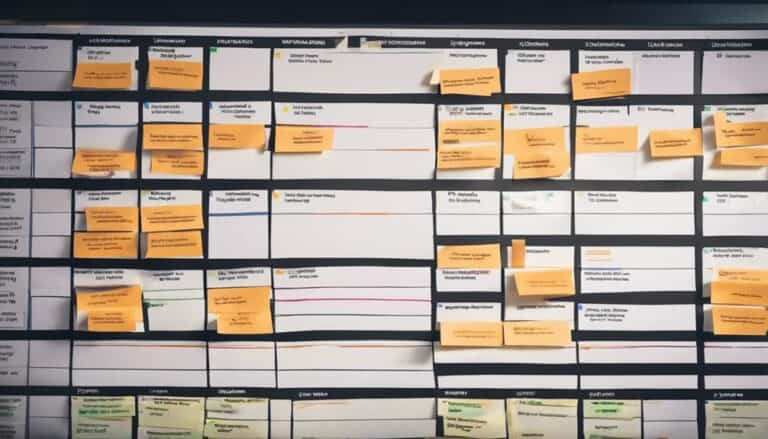
kanban and sprints integration
  • Kanban

How Does Kanban Incorporate Sprints for Efficient Workflow Management?

Yearning to discover how Kanban merges sprints for superior workflow management? Unravel the secrets behind this powerful integration.

Prev
1 … 68 69 70 71 72 73 74 … 166
Next

Affiliate disclaimer

This site is a participant in the Amazon Services LLC Associates Program, an affiliate advertising program designed to provide a means for sites to earn advertising fees by advertising and linking to Amazon.com. We are compensated for referring traffic and business to Amazon and other companies linked to on this site. We may also do this with other affiliate schemes

Image of a book titled "How to Get Consulting Clients" by Mark J. Draper, with arrows highlighting features like growth tactics, action-ready blueprint, and instant digital download.

Opening Hours

  • Mon - Fri 9AM - 8PM
  • Sat - Sun 10AM - 5PM

Social Media

“Beware of little expenses, a small leak will sink a great ship”

— Benjamin Franklin

Contact Info

  • +1 888 387 3816
  • +44 0161 527 3797
  • Send Email

Important Links

  • Privacy Policy
  • About Change Strategists

Copyright © 2026 - Need a website for your business? Visit Clixoni

Accessibility Adjustments

Powered by OneTap

How long do you want to hide the toolbar?
Hide Toolbar Duration

Select your accessibility profile

Vision Impaired Mode
Enhances website's visuals
Seizure Safe Profile
Clear flashes & reduces color
ADHD Friendly Mode
Focused browsing, distraction-free
Blindness Mode
Reduces distractions, improves focus
Epilepsy Safe Mode
Dims colors and stops blinking

Content Modules

Font Size

Default

Line Height

Default

Color Modules

Orientation Modules